
One of the biggest mistakes businesses make with Google Ads is choosing a budget without understanding what they’re trying to achieve.
Many business owners simply decide to spend $500, $1,000 or $2,000 per month without calculating how many leads or sales that budget is likely to generate.
A smarter approach is to work backwards.
By understanding your customer value, conversion rates and advertising costs, you can estimate a realistic Google Ads budget that aligns with your business goals.
This guide will show you exactly how to calculate the right budget for your business.
Why a Budget Calculator Is Better Than Guessing
Google Ads isn’t about spending the most money, it’s about spending the right amount.
Your budget should be based on:
- How many new customers you want each month
- Your average conversion rate
- Your average cost per click
- The value of each customer
- Your desired return on investment
Once you know these numbers, setting a budget becomes much easier.
Step 1: Decide How Many Leads You Need
Start by asking yourself:
How many new enquiries would I like each month?
For example:
- Electrician → 40 enquiries
- Dentist → 60 enquiries
- Lawyer → 30 enquiries
- Builder → 25 enquiries
This becomes your monthly target.
Step 2: Estimate Your Website Conversion Rate
Your conversion rate is the percentage of website visitors who contact you after clicking your ad.
Typical conversion rates are:
| Website Quality | Average Conversion Rate |
|---|---|
| Poor | 2–4% |
| Average | 5–8% |
| Good | 8–12% |
| Excellent | 12–20% |
For example:
If your website converts at 10% and you want 40 enquiries, you’ll need approximately:
400 website visitors
Step 3: Estimate Your Average Cost Per Click
Every industry has different advertising costs.
| Industry | Typical CPC |
|---|---|
| Electricians | $4–$10 |
| Plumbers | $5–$12 |
| Dentists | $6–$15 |
| Lawyers | $15–$50+ |
| Accountants | $4–$12 |
| Fire Protection | $4–$10 |
Remember, these are averages. Some keywords may cost more depending on competition and location.
Step 4: Calculate Your Monthly Budget
The basic formula is:
Required Clicks × Average Cost Per Click = Estimated Monthly Budget
Example
Business Goal:
- 40 enquiries
Website Conversion Rate:
- 10%
Required Clicks:
- 400
Average CPC:
- $6
Estimated Monthly Budget:
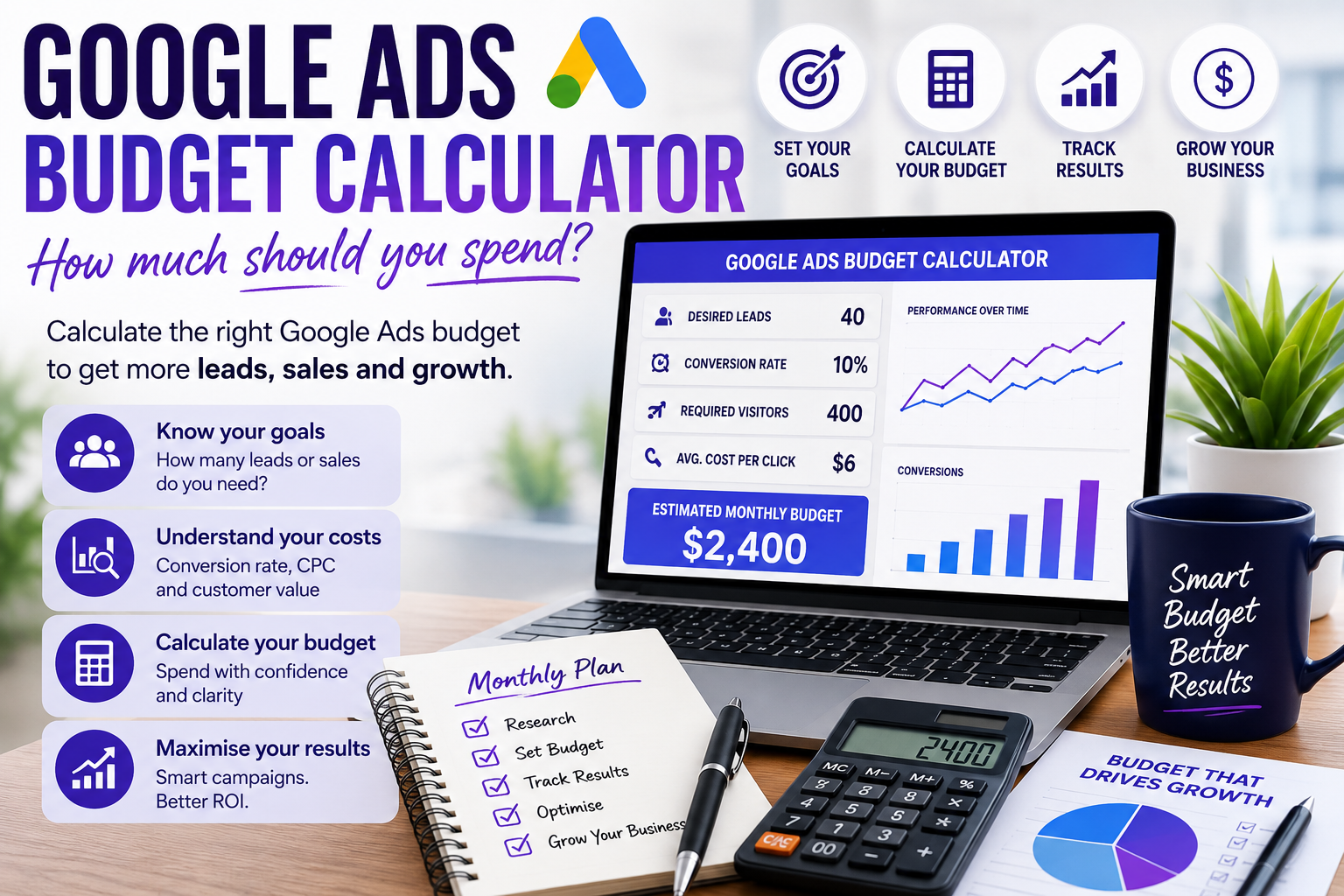
400 × $6 = $2,400 per month
Example Budget Calculator
| Monthly Goal | Example |
|---|---|
| Desired Leads | 40 |
| Website Conversion Rate | 10% |
| Required Website Visitors | 400 |
| Average Cost Per Click | $6 |
| Estimated Monthly Budget | $2,400 |
Don’t Forget Customer Value
One mistake many businesses make is focusing only on advertising costs.
Instead, consider what a new customer is worth.
For example:
Average Job Value:
$800
Average Gross Profit:
$400
If your advertising generates one extra customer for every $80 spent, your campaign may still be highly profitable.
Google Ads should always be measured against the value it creates, not simply the amount spent.
Why Budget Alone Doesn’t Determine Success
Two businesses can spend exactly the same amount and achieve completely different results.
Success depends on:
- Keyword selection
- Campaign structure
- Ad quality
- Landing pages
- Conversion tracking
- Ongoing optimisation
A well-managed campaign often produces better results with a smaller budget than a poorly managed campaign with a much larger spend.
Should You Start Small?
For many businesses, yes.
Starting with a realistic budget allows you to:
- Collect meaningful data
- Test different keywords
- Improve conversion rates
- Optimise campaigns
- Scale successful strategies
Once campaigns consistently deliver profitable results, increasing your budget becomes a much lower-risk decision.
Common Budget Mistakes
Many businesses waste advertising budget by:
- Choosing a budget without a plan
- Targeting too many services
- Using broad keywords
- Ignoring negative keywords
- Sending traffic to their homepage
- Not tracking conversions
- Never reviewing campaign performance
Avoiding these mistakes often has a bigger impact than simply increasing your spend.
How DigiMedia Worx Helps You Set the Right Budget
At DigiMedia Worx, we don’t recommend advertising budgets based on guesswork.
We analyse your industry, competition, business goals and customer value before recommending a budget that aligns with your objectives.
Every campaign is supported by detailed keyword research, conversion tracking, landing page optimisation and ongoing campaign management to help maximise your return on investment.
As your campaigns improve, we continually refine your budget and bidding strategy to ensure your advertising investment continues to deliver measurable business growth.
Final Thoughts
There is no universal Google Ads budget that suits every business.
The right budget depends on your goals, industry, conversion rates and customer value.
By working backwards from the number of leads you want and understanding your advertising costs, you can build a realistic budget that supports long-term growth rather than relying on guesswork.
If you’re unsure where to start, DigiMedia Worx can help you calculate the ideal Google Ads budget for your business and develop a strategy designed to maximise every advertising dollar.
Frequently Asked Questions
How much should I spend on Google Ads each month?
There is no fixed amount. Most Australian small businesses begin with budgets between $1,000 and $3,000 per month, depending on their industry and goals.
Is a bigger Google Ads budget always better?
No. A well-managed campaign with accurate targeting and strong conversion tracking can often outperform a larger budget that isn’t optimised.
How do I calculate my Google Ads budget?
Multiply the number of clicks you need by your average cost per click. The number of clicks required depends on your website’s conversion rate and the number of leads you want to generate.
What if my budget is limited?
Focus on high-intent keywords, a smaller service area and your most profitable services. A tightly targeted campaign usually delivers better results than trying to target everything.
Can I increase my budget later?
Yes. Once your campaigns consistently generate profitable leads, increasing your budget is often the best way to grow your business.
Why does my budget disappear quickly?
High competition, broad keywords, poor targeting or a lack of optimisation can cause your budget to be spent faster than expected.
Does my landing page affect my budget?
Yes. Better landing pages generally improve conversion rates, allowing you to generate more leads from the same advertising spend.
Should I budget for Google Ads management?
Yes. Professional campaign management helps improve performance, reduce wasted spend and maximise your return on investment.
Can Google Ads work with a $500 monthly budget?
It depends on your industry. Less competitive local markets may achieve results, while highly competitive industries often require larger budgets.
How often should I review my budget?
Review your campaign performance monthly and adjust your budget based on results, seasonality, competition and business goals.